Sent crypto to the wrong network?
In short
Whether you can get it back depends on one thing: who holds the key to the address it landed on. If that is you, it is usually fine. If it is an exchange, it is up to their support. If it is a contract, it is usually gone. Find your case below.
- Free guide
- No sign-up
- Plain English
Updated 3 October 2026 · SimVala editorial
Most common case
USDT sent on BNB Smart Chain to your own Ethereum wallet

 USDT on BNB Chain
 Your own 0x wallet
Find your case
Five cases, from best to worst
- Usually recoverable by you
Sent to your own wallet, on another 0x network
USDT on BNB ChainYour own 0x walletExample: USDT sent on BNB Smart Chain to your own 0x address, when you expected Ethereum. The address is the same on both networks, and you hold its key, so the money is safe.
Add BNB Smart Chain in your wallet's network list and the balance appears. You need a little BNB there to move it.
- Maybe, through support
Sent to an exchange or company address, on another 0x network
USDT on EthereumExchange BEP-20 depositThe exchange holds the key for that address on every network, so it can technically recover the funds. Many will, for a fee and after checks, but none has to.
Contact their support with the transaction ID. Do not send more to test.
- Maybe, through support
Forgot the memo or destination tag
XRP or TON, no tagShared exchange addressExchanges often share one address between many customers and use a memo or tag (XRP, TON and some others) to know whose deposit it is. The money arrived, but they cannot tell it is yours.
Their support can usually credit it once you prove the transaction.
- Usually not possible
Sent to a token or contract address
USDTThe USDT contract itselfSome people paste the USDT contract address instead of their own. Tokens sent to a contract that has no way to send them out are stuck for good, unless the token issuer steps in, which is rare.
Write to the token issuer with the transaction ID, but expect a no.
- Usually not possible
Sent between different address families
 USDT on TronAn Ethereum address
A Tron address cannot receive on Ethereum, and a Bitcoin address cannot receive on Solana: the formats do not match, so good wallets refuse to send. If a transfer did go through to an address nobody controls on that network, it is lost.
Check the transaction in a block explorer. Most often it never left your wallet.
5
Common cases covered
1
You can fix yourself
2
Need the receiver's support
2
Usually lost for good
First, do these three things
Stop sending
Do not send more to “test” or to push the first payment through. A second transfer lands in the same place.
Find the transaction ID
Open the withdrawal in your wallet or exchange history and copy its ID or hash. Open it in the network's block explorer.
Check the receiving address
Paste it into our address checker to see which networks it lives on.
Common wrong-network mix-ups and what to do
Most mix-ups happen between networks that share the 0x address format. The address is valid on both, so nothing stops the transfer. Here are the ones people search for most, with the fix for each.
| What you sent | Where it went | Chances | What to do |
|---|---|---|---|
| USDT on BNB Smart Chain (BEP-20) | Your own Ethereum wallet | You can fix it | Add BNB Smart Chain to the wallet, get a little BNB for the fee, then move it. |
  USDC on Polygon USDC on Polygon | Your own Ethereum wallet | You can fix it | Add Polygon to the wallet and hold a little POL for the fee. |
| ETH on Arbitrum or Base | Your own 0x wallet | You can fix it | Add that network to the wallet. The ETH is at the same address there. |
| USDT on Ethereum (ERC-20) | An exchange's BEP-20 deposit address | Ask support | Open a support ticket with the transaction ID and wait for their answer. |
| XRP without the destination tag | An exchange deposit address | Ask support | Send support the transaction ID and your account's tag. |
| USDT to the USDT contract address | The token contract | Usually lost | Only the token issuer could help, and it rarely does. |
How to move funds that landed in your own wallet
If you hold the recovery phrase for the 0x address, the money is still yours. It simply sits on a network your wallet is not showing yet. Open your wallet's network list and switch to, or add, the network you actually sent on. The balance shows up at the same address.
To move it, you need that network's own coin for the fee. Buy a small amount on an exchange and withdraw it on that same network to the same address. Then send the USDT back where it should go, this time on the right network.
If your wallet app does not support that network at all, a well-known wallet app that does can open the same recovery phrase. Only type the phrase into an official app you installed yourself, never into a website, and never share it with anyone offering help.
Warning
Recovery scams to avoid
People who lost crypto are targeted a second time. Fake “recovery experts” reply to posts, send messages, and ask for a fee or your wallet's secret phrase. Nobody outside the address owner can move those funds. If you see any of these signs, stop talking to them.
- They contact you firstA reply to your post, a DM or an email out of nowhere offering to help.
- They ask for your recovery phraseAnyone who has those words can empty your wallet. No real helper ever needs them.
- They want a fee up frontA fee, a tax or a deposit before they start. The money never comes back.
- They claim to be a law firm or agencyThe FBI warns of fake law firms and fake officials who target people who already lost crypto.
- They promise to get it backNobody outside the address owner can move those funds. A guarantee is a lie.
- They ask to control your deviceA remote-access app, or a website that asks you to connect your wallet and sign.
Do not post your wallet address and your loss in public help forums. It is the first place recovery scammers look. Talk only to the exchange or company through its own website or app.
If it happened with a SimVala top-up
Our crypto payment page lists the exact network for every coin we accept. USDT, for example, works on Tron, Ethereum and BNB Smart Chain, and your top-up screen shows the address and network together with a QR code.
 BTC
BTC XMR ETH BNB POL
 SOL TRX USDT USDC
If you paid on a different network than the one shown, write to us and we will look at what can be done.
How to never send on the wrong network again
- Copy the network name exactlyTRC-20, ERC-20 and BEP-20 are three different networks. Pick the one the receiver wrote, not the cheapest.
- Send a small test firstFor a large amount, send a few dollars and wait until the receiver confirms it arrived.
- Check the addressAfter pasting, compare the first, middle and last characters with what the receiver sent, in case malware swapped it.
- Compare fees, but obey the receiverOur live USDT network fees show the cheapest option, but only among the networks the receiver supports.
The short version: your own 0x wallet, switch networks and it is there. Someone else's address, only they can help. A contract, usually gone.
More free tools
All tools CheckerCrypto address checkerWhich network a wallet address belongs to, with a typo check.
 Live dataUSDT network feesWhat sending USDT costs on Tron, Ethereum, BNB Chain, Polygon and Solana, right now.
 CheckerScam text checkerPaste a suspicious text and see its red flags, like fake toll or parcel messages.
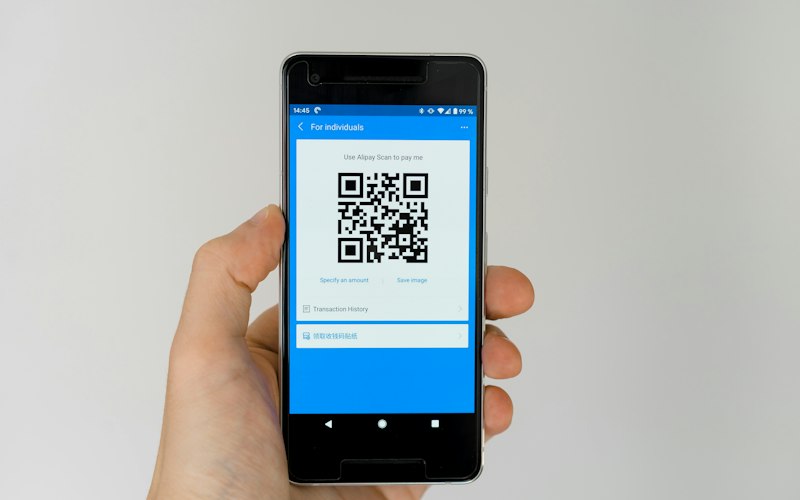 GeneratorCrypto payment QR codeA scan-to-pay QR code for Bitcoin, USDT, ETH, Solana or Monero.
Wrong network transfers, answered
Can I get back USDT sent on the wrong network?+
It depends on who controls the receiving address. If it is your own wallet and a 0x address, yes: switch your wallet to that network. If it is an exchange, only their support can recover it, and they may charge a fee. If it went to a contract, usually not.
I sent BEP-20 USDT to an ERC-20 address. Is it lost?+
No, if you or the receiver controls that 0x address. It is sitting on BNB Smart Chain at the same address. The owner adds BNB Smart Chain to their wallet to see and move it.
Should I pay a crypto recovery service?+
No. Recovery services that contact you or advertise on social media are one of the most reported crypto scams. Real recovery only ever comes from whoever controls the receiving address.
How do I find my transaction ID?+
In your wallet or exchange history, open the withdrawal: it shows a transaction ID or hash. Paste it into the network's block explorer to see where the funds went.
My wallet app does not support the network. What now?+
The funds are tied to your recovery phrase, not the app. A well-known wallet app that supports that network can open the same phrase. Only type your phrase into an official app you installed yourself, never into a website.
How long do exchanges take to recover a wrong-network deposit?+
It varies a lot. Some answer in days, others take weeks, and some refuse. Keep your ticket number, reply only inside the exchange's own support system, and ignore anyone who messages you about it.
How do I avoid this next time?+
Check the address's network before sending, send a small test amount first for large payments, and copy the network name exactly as the receiver gives it.
Pay with crypto, on the right network
Every SimVala top-up shows the coin, the network and the address together, with a QR code. No card, no email, no ID.